
State
Learn how state is managed and passed through your workflow pipeline.
What is State?
State is the data context that flows through your entire workflow. It starts with the initial input data and gets continuously enriched as each step executes. Think of state as a growing JSON object that accumulates information from every step in your pipeline.
When your workflow begins, the state contains the data from your input (such as an HTTP webhook payload). As your workflow executes, each step can add, modify, or reference data within this state object.
How State Flows Through Steps
The state object is automatically passed from one step to the next throughout your entire workflow. This means:
- Every step has access to all data accumulated by previous steps
- Steps can read from any property in the state using the
input_fromparameter - Steps can write their output to specific properties using the
output_toparameter - The state persists throughout the entire workflow execution
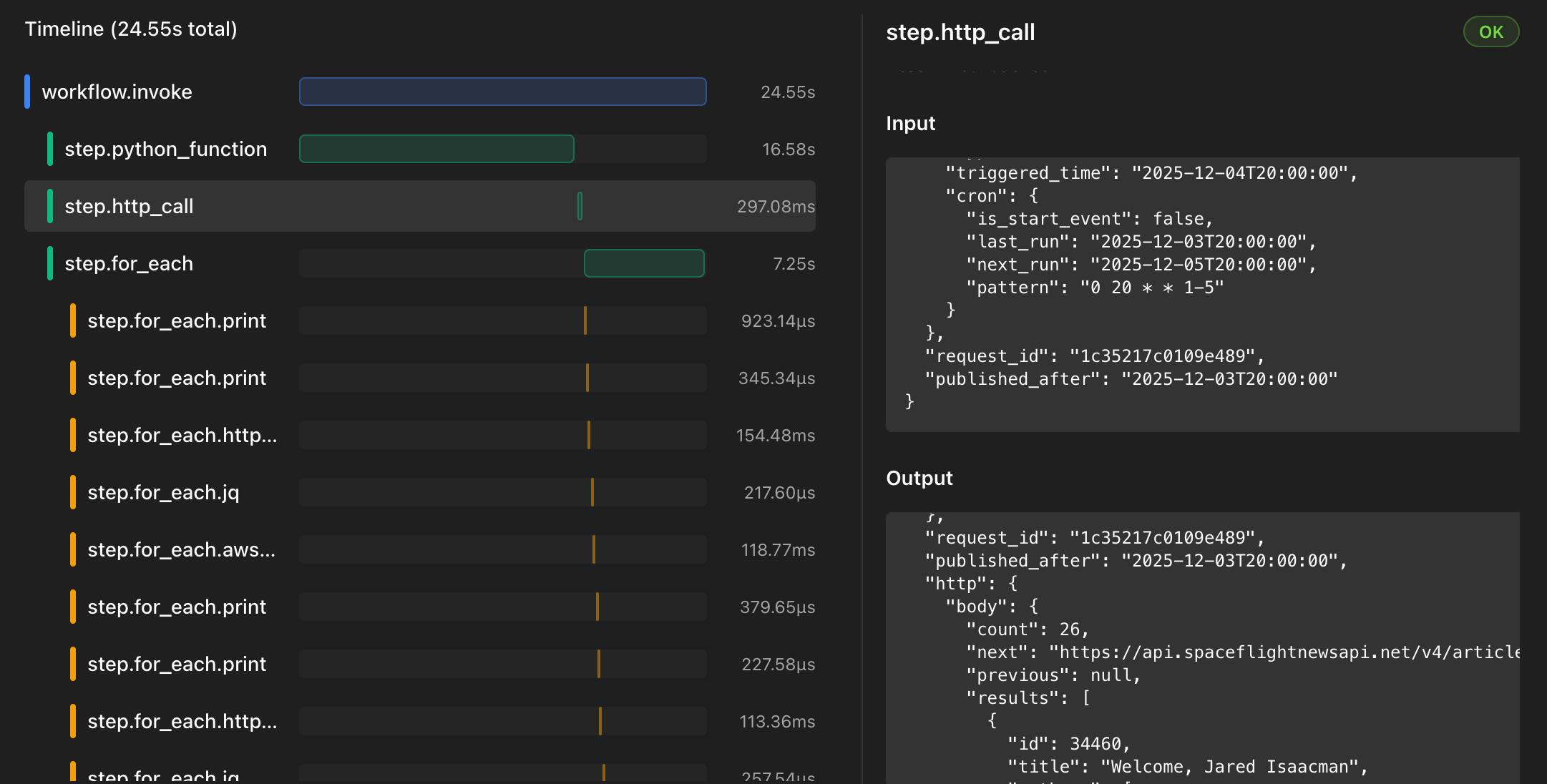
Example of state being enriched as it flows through each step in a workflow
Reading from State
Most steps support an input_from parameter that allows you to specify which field in the state
to use as input for that step. This lets you work with specific data from previous steps.
Example: If a previous step stored user data at users, you can read it with input_from: users.
Writing to State
Steps use the output_to parameter to specify where their results should be stored
in the state object. This is particularly useful when making multiple API calls
or processing data in different steps, as it keeps your state organised.
Example: If you make an HTTP call with output_to: user_details, the response will be stored at { "user_details" : ... } and accessible to all subsequent steps.
Example: Multiple HTTP Calls
Here's a workflow that makes three different HTTP calls and stores each response in a specific property of the state object:
workflow:
  name: fetch-and-combine-data
  description: "Fetches data from multiple endpoints and combines them in state"
  input:
    type: http_webhook
  steps:
    - type: http_call
      method: GET
      url: "https://example.com/users"
      output_to: users
    - type: http_call
      method: GET
      url: "https://example.com/groups"
      output_to: groups
    - type: http_call
      method: GET
      url: "https://example.com/groups/123/users"
      output_to: group_users
Resulting State Object
After all three HTTP calls complete, the state object contains the responses
from each endpoint, organised by the property names specified in the output_to parameters:
{
  "users": [...],
  "groups": [...],
  "group_users": [...]
}
Accessing State Data in Steps
Steps can reference state data using template syntax. For example, if you have user data in your state, you can reference it in subsequent steps:
text_template: "Processing user ${users[0].name} from group ${groups[0].id}"Best Practices
Use Descriptive Property Names
When using the output_to parameter, choose clear, descriptive names that make it obvious what data is
stored. This makes your workflows easier to understand and maintain.
Organise Related Data
Consider using nested properties to organise related data. For example, use
output_to: api.users and output_to: api.groups to keep external data separate from workflow metadata.
Chain Steps Together
Use input_from to read data that was written by a previous step's output_to. This creates
clear data flow through your workflow.